Enterprise Browser Automation & Distributed Node Mesh
BrowserMesh delivers everything QA automation engineers, RPA developers, and DevOps teams need to orchestrate web workflows at scale. Featuring AutomationEngine core compatibility, a 30+ FPS low-latency interactive canvas screencast, native Model Context Protocol (MCP) agent tools, and resilient execution nodes across Windows, Linux, and Android—all with 100% local data sovereignty.
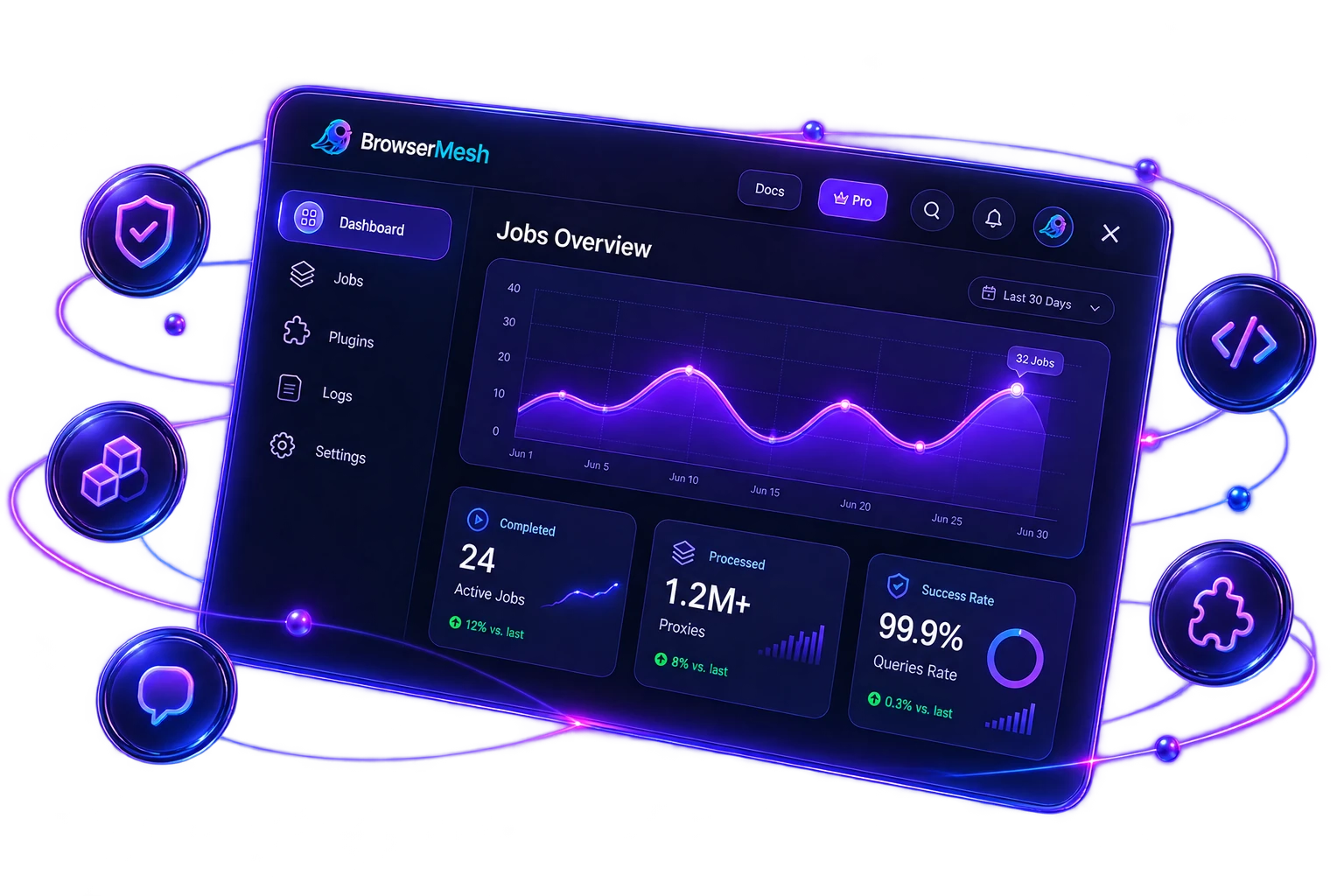
SPAs, dynamic DOMs, PWAs
Use your existing connection
Real-time interactive solver
Resource optimization
Stored locally, never in the cloud
Real-Time 30+ FPS Interactive Canvas & Human-in-the-Loop Solver
See what the headless browser sees. Handle dynamic interstitials in real time.
Distributed Node Mesh & Cross-Platform Execution
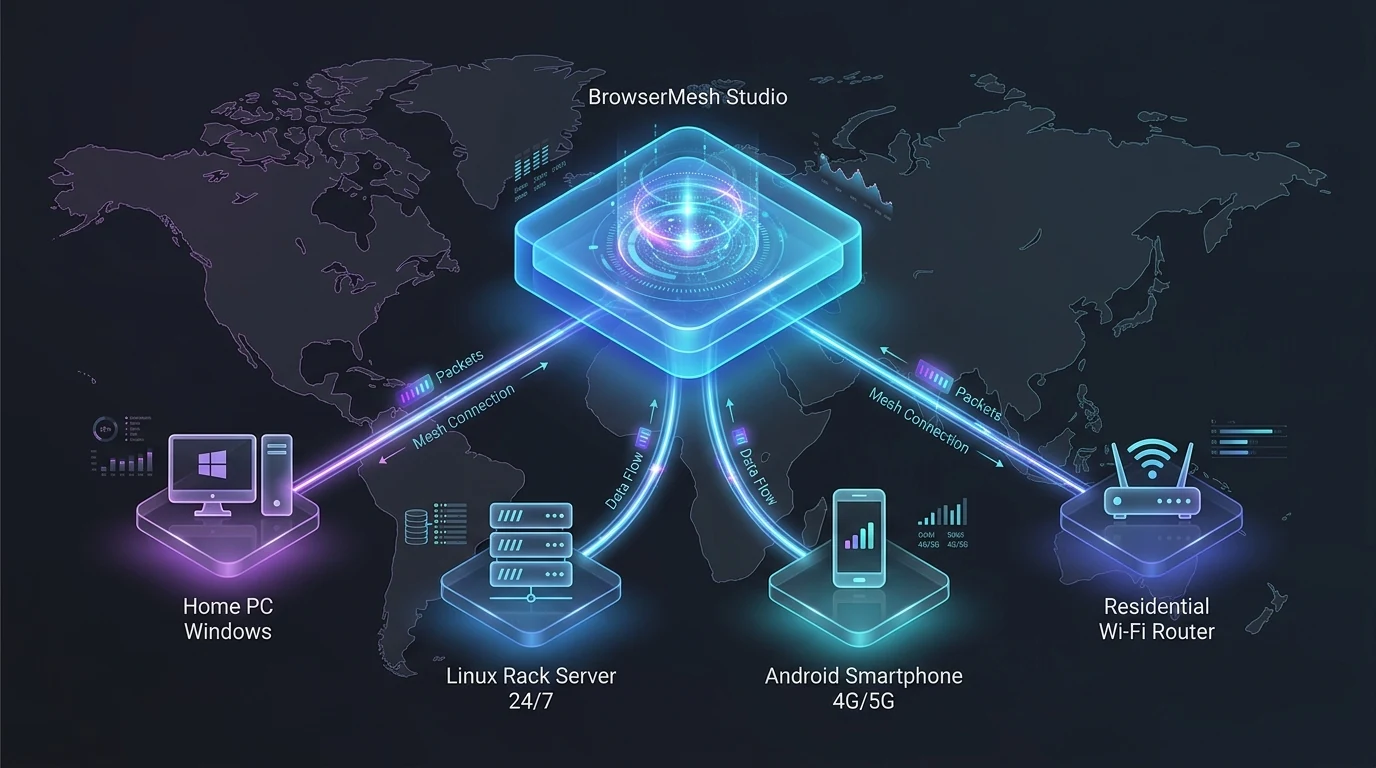
Run on your own infrastructure. Local hardware. Total control.
- Local hardware execution
- Distributed test nodes
- Cross-platform support
- Dynamic load distribution
- Zero cloud server markups
- Local hardware execution
- Distributed test nodes
- Cross-platform support
- Dynamic load distribution
- Zero cloud server markups
Turn Any Machine into a Resilient Automation Node
Why pay expensive cloud grid fees? Run the lightweight BrowserMesh headless daemon on your Windows workstation, Linux server, or mobile device to execute browser workflows locally.
Local Network Node Execution
Execute browser automations directly across your local PCs, Linux servers, or mobile devices without third-party cloud infrastructure lock-in.
Zero Cloud Execution Markup
Instead of paying high per-minute or per-GB fees to cloud browser grids, run Playwright workflows directly on your existing hardware with zero compute markup.
1-Command Cross-Platform Daemon
Deploy lightweight headless nodes on Windows (PowerShell), Linux (Bash), or Android in under 60 seconds with standardized browser runtimes.
High-Fidelity Headless Browser Execution
AutomationEngine standardizes headless browser environments, normalizes runtime fingerprints, and emulates realistic interactions for maximum web app compatibility.
AutomationEngine
Browser Standardization- navigator.webdriver (normalized)
- WebGL rendering consistency
- Canvas parameters standardized
- AudioContext noise management
- Hardware fingerprint alignment
- Screen profile normalization
- User Agent rotation
- Client hints consistency
Human Input Simulation
(Bezier Curves & Pacing)- Natural mouse trajectories
- Keystroke cadence & jitter
- Inertial reading scroll
- Dynamic form interactions
- Adaptive randomized delays
- Realistic browsing patterns
Dynamic Web Compatibility
SPA & Interstitial Resilience- Single Page Applications (SPAs)
- Dynamic DOM mutations
- Interactive dialog handlers
- Multi-step navigation flows
- Cross-frame shadow DOMs
- Asynchronous AJAX handlers
- Complex table pagination
- Session recovery state
Everything you need to automate workflows, your way
From resilient job queues to cross-platform nodes and observability, BrowserMesh handles it all.
Smart Job Queue
Concurrency & ResilienceRobust queue system with concurrency control, retries, atomic checkpoints, and auto-recovery built-in.
- Concurrency control
- Auto retry & backoff
- Crash recovery & checkpoints
- Dynamic rate limiting
Workflow Ecosystem
250+ Automation TemplatesA thriving library of pre-built browser automation workflows. Install, configure, and execute tasks in seconds.
- 250+ verified workflows
- 1-click execution
- Custom schema orchestration
- Maintainable TypeScript scripts
Cross-Platform Nodes
Desktop, Web & MobileDeploy on Web, Desktop (Windows, Linux) or Android 4G/5G mobile nodes with identical automation performance.
- Windows & Linux desktop
- Android (PRoot) 4G/5G nodes
- Zero-install Web Studio
- Headless Linux VPS daemon
Cloud Sync & Security
Local Data SovereigntySync jobs and configurations across devices with encrypted storage while datasets remain 100% locally owned.
- Persistent OS Keychain Vault
- Encrypted device sync
- 100% local data sovereignty
- Zero cloud storage leaks
Analytics & Live Logs
Observability & ReportsDetailed live logs, ANSI streams, resource profiling, and real-time monitoring for total automation transparency.
- Real-time ANSI job logs
- Severity filtering & regex search
- Hardware RAM & CPU profiling
- 1-click CSV/Excel/JSON export
Resource Optimizer
High-Speed ExecutionIntelligent resource optimizer skips unnecessary assets and redundant trackers for 5x faster page loads.
- 5x faster page loads
- Aborts bloated media/videos
- Strips third-party ad trackers
- Battery & bandwidth saver
Data Sovereignty & Privacy
Your data stays on your device.
Your Devices (Edge Execution)
Browser automation runs locally using your real network connection.
Encrypted SQLite Database
All automation data & payloads are stored locally in an encrypted SQLite database.
BrowserMesh Cloud (Limited)
- Authentication & Licensing
- Workflow Marketplace
- Account Sync (No User Data)
Enterprise Fleet Management
Manage all your devices and sessions.
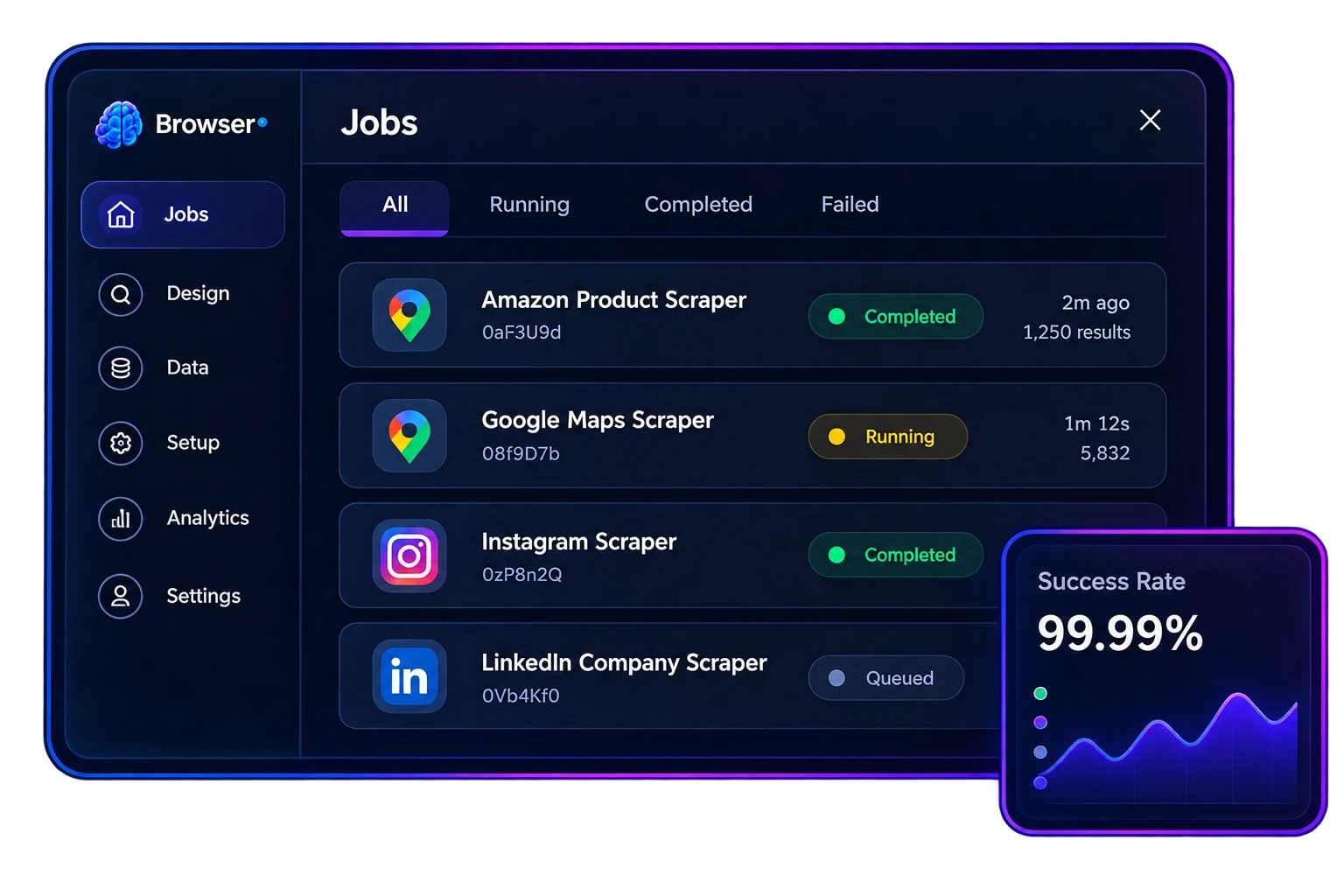
Fast, reliable, and built to scale
BrowserMesh is engineered for heavy-duty automation. Execute thousands of jobs with unmatched reliability using our stable architecture for long-running browser automation.
Frequently Asked Questions About BrowserMesh Features
Everything you need to know about enterprise browser automation, real-time canvas interaction, and our distributed node network.
How does AutomationEngine maintain high compatibility with modern dynamic web apps?
AutomationEngine standardizes headless browser environments (normalizing runtime flags, aligning WebGL rendering parameters, and emulating realistic human input patterns like Bezier curve mouse movements and natural typing cadence). If an interactive interstitial appears, you can interact with it on the live 30+ FPS canvas stream in one click—resuming automated workflows seamlessly.
Why does the Web Studio ask for permission to "Access other apps and services on this device"?
How do Android mobile nodes assist in cross-platform test automation?
How does the Model Context Protocol (MCP) server benefit AI agent developers?
What formats can I export my workflow datasets into?
How does the Intelligent Resource Optimizer make workflows 5x faster?
What happens if my computer crashes or reboots during a long workflow?


Experience the Power of Distributed Browser Automation
Join thousands of QA engineers, RPA developers, and DevOps teams who orchestrate browser automations with 100% local data privacy and zero cloud markup.