DataDome & Kasada Anti-Bot Bypass in 2026: Complete Developer Guide
Master DataDome and Kasada bypass in 2026. Defeat sensor scripts, cryptographic PoW challenges, and WebGL fingerprinting with working Playwright code.

TL;DR: DataDome and Kasada represent the most sophisticated tier of commercial anti-bot mitigation in 2026. DataDome utilizes heavy client-side JavaScript telemetry (
dd.js) combined with real-time server signal correlation, while Kasada deploys polymorphic virtual machine bytecode and dynamic cryptographic Proof-of-Work (PoW) challenges. Traditional cloud scrapers running on datacenter IPs get blocked immediately. This guide explains how their detection pipelines work under the hood and provides working Playwright stealth implementations to bypass both systems using local hardware execution and bio-realistic kinetics.
Why Legacy Scraping Scripts Fail Against Modern Anti-Bot Systems in 2026
In 2026, web scraping and browser automation have encountered a dramatic shift in defensive telemetry. Static user-agent spoofing, basic IP rotation, and naive stealth configurations fail because modern anti-bot vendors inspect multi-layer TLS handshakes, HTTP/2 framing, client sensor scripts, and natural behavioral kinetics.
┌─────────────────────────────────────────────────────────────────────────────┐
│                    DataDome & Kasada Multi-Layer Stack                      │
├─────────────────────────────────────────────────────────────────────────────┤
│ 1. IP & Autonomous System (ASN) ──► Datacenter vs Real Residential ISP     │
│ 2. TCP & TLS Fingerprint (JA4)  ──► Cipher Order, ALPN, GREASE Extensions   │
│ 3. HTTP/2 Framing               ──► Pseudo-Header Order (:method, :path)   │
│ 4. JavaScript Sensor Payloads   ──► Canvas, WebGL, AudioContext, Prototypes │
│ 5. Behavioral Kinetics          ──► Cubic Bezier Mouse Acceleration, Jitter │
└─────────────────────────────────────────────────────────────────────────────┘
When your automation script executes from an unmasked datacenter IP or fails any of these checks, you are met with an instant HTTP 403 Forbidden, a DataDome slider challenge, or a Kasada cryptographic barrier.
How Does DataDome's Detection Pipeline Work Under the Hood?
DataDome protects high-value targets across e-commerce, ticketing, and enterprise applications by evaluating incoming requests in real-time. It correlates server-side TLS and IP signals with client-side JavaScript sensors, analyzing WebGL hashes, screen geometry, prototype tampering, and hardware rendering artifacts to identify automated crawlers.
                                Client HTTP Request
                                         │
                    ┌────────────────────┴────────────────────┐
                    ▼                                         ▼
        [Server-Side Pre-Flight]                  [Client Sensor Execution]
        • IP ASN & Threat Intelligence            • dd.js Script Payload
        • JA3 / JA4 TLS Cipher Suite              • WebGL Render Texture Hash
        • HTTP/2 Stream Settings                  • Event Listener Trapping
        • Header Case & Ordering                  • Screen / Touch Geometry
                    │                                         │
                    └────────────────────┬────────────────────┘
                                         ▼
                             DataDome AI Decision Matrix
                     ┌───────────────────┼───────────────────┐
                     ▼                   ▼                   ▼
                 [ALLOW]         [SLIDER CAPTCHA]        [BLOCK]
               (Valid User)     (Suspicious Signals)   (Flagged Bot)
1.1 The dd.js Client-Side Sensor Tag
When a page loads, DataDome injects its proprietary sensor tag (dd.js or tags.js). This script gathers over 150 unique hardware and software signals:
- WebGL & Canvas Rendering Profiles: Renders a 3D geometric shape and measures GPU fragment shader precision down to sub-pixel rasterization differences.
- Prototype Chain Integrity: Checks whether
navigator.webdriver,window.chrome, orHTMLCanvasElement.prototype.toDataURLhave been proxied or overridden using non-standard getters. - Screen & Viewport Geometry: Checks for discrepancies between
window.innerWidth,window.outerWidth,screen.availHeight, and hardware display device ratios. - Touch & Pointer Event Listeners: Verifies if event dispatch objects contain authentic
isTrusted: trueproperties backed by native browser C++ events rather than syntheticdispatchEvent()calls.
1.2 DataDome Captcha & Interstitial Solving
When DataDome detects anomalies (such as rapid navigation or mismatched TLS headers), it responds with an HTML page containing an interactive puzzle:
- Geo-Test Slider Challenge: A drag-and-drop slider puzzle requiring continuous pointer acceleration and natural human friction curves.
- Device Integrity Interstitial: A background cryptographic handshake that verifies if the browser can execute complex WebAssembly modules within expected latency thresholds.
[!NOTE] DataDome Header & Rule Configurations: For production DataDome bypass settings, device profile tuning, and header casing rules, refer to our official DataDome Bypass Documentation (
/docs/datadome).
Part 2: Inside Kasada's Polymorphic Virtual Machine Architecture
Kasada (formerly Polyform) takes an aggressive, zero-trust cryptographic approach. Unlike DataDome, which relies heavily on behavioral tracking, Kasada focuses on runtime execution difficulty and client-side computation costs.
                           Browser Requests Target URL
                                         │
                                         ▼
                       ┌───────────────────────────────────┐
                       │  Kasada Injects Polymorphic VM    │
                       │  (ips.js - Shifts Every 2-4 Hours)│
                       └─────────────────┬─────────────────┘
                                         │
                                         ▼
                       ┌───────────────────────────────────┐
                       │   Cryptographic Proof-of-Work     │
                       │   (Client Computes CPU Puzzle)    │
                       └─────────────────┬─────────────────┘
                                         │
                                         ▼
                       ┌───────────────────────────────────┐
                       │  Time-To-First-Interaction (TTFI) │
                       │  Checks Mouse / Touch Telemetry   │
                       └─────────────────┬─────────────────┘
                                         │
                                         ▼
                          Valid Kasada Clearance Token
                        (x-kpsdk-ct / x-kpsdk-cd Generated)
2.1 Dynamic Polymorphic Virtual Machine (ips.js)
Kasada does not deliver readable JavaScript. Instead, it serves an obfuscated binary bytecode virtual machine inside ips.js:
- The instruction set architecture (ISA) and opcode mappings change dynamically every 2–4 hours.
- Static reverse engineering scripts or regex-based bypass tools break continuously.
- The VM inspects the browser call stack, debugging breakpoints (
debuggerstatements), and memory heap allocation.
2.2 Client-Side Cryptographic Proof-of-Work (PoW)
Before accepting sensitive POST/GET requests (e.g., login submissions, checkout forms, or search endpoints), Kasada forces the client to solve a CPU-heavy cryptographic hash puzzle:
- The client must return the computed token via custom HTTP headers (
x-kpsdk-ct,x-kpsdk-cd). - If the computation finishes too fast (< 5ms), Kasada flags the client as a high-performance headless scraper cluster.
- If the computation times out (> 1500ms), the request is rejected with HTTP 429 Too Many Requests.
2.3 Time-To-First-Interaction (TTFI) Telemetry
Kasada calculates the microsecond gap between DOMContentLoaded and the first genuine hardware event (mouse movement, keypress, or viewport scroll). Automated scripts that click buttons instantly upon DOM readiness fail this test immediately.
Part 3: Datacenter IP Detection vs. Local Residential Node Execution
The most common point of failure for DataDome and Kasada scraping pipelines is IP Autonomous System Number (ASN) classification.
┌───────────────────────────────────────────────────┐
│              IP Classification Hierarchy          │
├───────────────────────────────────────────────────┤
│ Tier 1: 4G / 5G Mobile Networks (CGNAT) ──► 99.9% │ (Highest Trust)
│ Tier 2: Residential Fiber & Broadband   ──► 95.0% │ (High Trust)
│ Tier 3: Commercial Business Static IPs  ──► 65.0% │ (Moderate Trust)
│ Tier 4: Datacenter Hosting (AWS / GCP)  ──►  5.0% │ (Instant Block)
└───────────────────────────────────────────────────┘
When an HTTP request originates from an AWS, DigitalOcean, or Hetzner IP range:
- DataDome immediately lowers the client trust threshold to near zero, requiring immediate slider challenges for every page visit.
- Kasada refuses to issue clearance headers (
x-kpsdk-ct), resulting in endless 403 loops.
The Solution: Decentralized Edge Hardware Nodes
Rather than paying exorbitant proxy bandwidth markups ($15–$30/GB) that quickly get blocked, BrowserMesh distributes automation workflows directly to your own physical hardware:
- Authentic Consumer ISPs: Traffic originates from your local residential Wi-Fi, Ethernet, or Android 4G/5G mobile node.
- Zero Proxy Bandwidth Costs: Pay permanently $0/GB in bandwidth markup because execution runs locally on your existing network.
- Authentic Hardware GPU: Native GPU hardware handles WebGL shader compilation seamlessly without software rasterizer discrepancies.
Part 4: Production Playwright & BrowserMesh Stealth Implementation
Below is a complete, production-grade Playwright script demonstrating how to configure authentic browser runtime parameters, inject perceptual canvas noise, and implement bio-realistic cubic Bezier mouse kinematics.
4.1 Playwright Stealth Initialization (stealth-runner.ts)
// stealth-runner.ts - Advanced DataDome & Kasada Stealth Configuration
import { chromium, BrowserContext, Page } from "playwright";

export async function createStealthContext(): Promise<{ context: BrowserContext; page: Page }> {
  const browser = await chromium.launch({
    headless: false, // Running with UI or via BrowserMesh AutomationEngine
    args: [
      "--disable-blink-features=AutomationControlled",
      "--disable-features=IsolateOrigins,site-per-process",
      "--no-sandbox",
      "--disable-setuid-sandbox",
      "--disable-infobars",
      "--window-size=1920,1080",
    ],
  });

  const context = await browser.newContext({
    viewport: { width: 1920, height: 1080 },
    userAgent:
      "Mozilla/5.0 (Windows NT 10.0; Win64; x64) AppleWebKit/537.36 (KHTML, like Gecko) Chrome/131.0.0.0 Safari/537.36",
    locale: "en-US",
    timezoneId: "America/New_York",
    deviceScaleFactor: 1,
    hasTouch: false,
    isMobile: false,
  });

  const page = await context.newPage();

  // Inject Stealth Prototype Defenses before any page scripts load
  await page.addInitScript(() => {
    // 1. Cleanly remove navigator.webdriver flag
    Object.defineProperty(navigator, "webdriver", {
      get: () => undefined,
    });

    // 2. Mock Chrome Runtime Object
    (window as any).chrome = {
      app: { isInstalled: false, InstallState: { DISABLED: "Disabled" }, RunningState: { CANNOT_RUN: "CannotRun" } },
      runtime: { OnInstalledReason: { INSTALL: "install" }, PlatformArch: { X86_64: "x86-64" } },
      loadTimes: function () {},
      csi: function () {},
    };

    // 3. Spoof Authentic WebGL Vendor & Unmasked Renderer
    const getParameter = WebGLRenderingContext.prototype.getParameter;
    WebGLRenderingContext.prototype.getParameter = function (parameter: number) {
      // UNMASKED_VENDOR_WEBGL
      if (parameter === 37445) return "Google Inc. (NVIDIA)";
      // UNMASKED_RENDERER_WEBGL
      if (parameter === 37446) return "ANGLE (NVIDIA, NVIDIA GeForce RTX 4070 Direct3D11 vs_5_0 ps_5_0, D3D11)";
      return getParameter.apply(this, [parameter]);
    };

    // 4. Inject Session-Consistent Perceptual Canvas Noise
    const originalToDataURL = HTMLCanvasElement.prototype.toDataURL;
    HTMLCanvasElement.prototype.toDataURL = function (type?: string, quality?: any) {
      const ctx = this.getContext("2d");
      if (ctx) {
        const imgData = ctx.getImageData(0, 0, Math.min(this.width, 10), Math.min(this.height, 10));
        // Subtle bitwise variation on pixel 0 prevents fingerprint clustering
        imgData.data[0] = imgData.data[0] ^ 1;
        ctx.putImageData(imgData, 0, 0);
      }
      return originalToDataURL.apply(this, [type, quality]);
    };

    // 5. Align Hardware Concurrency and Device Memory
    Object.defineProperty(navigator, "hardwareConcurrency", { get: () => 8 });
    Object.defineProperty(navigator, "deviceMemory", { get: () => 8 });
  });

  return { context, page };
}
4.2 Bio-Realistic Cubic Bezier Trajectories (kinetics.ts)
To defeat DataDome's mouse velocity analysis and Kasada's TTFI checks, actions must follow continuous cubic Bezier paths with randomized acceleration:
// kinetics.ts - Cubic Bezier Mouse Trajectory Calculation
import { Page } from "playwright";

interface Point {
  x: number;
  y: number;
}

function calculateBezierPoint(p0: Point, p1: Point, p2: Point, p3: Point, t: number): Point {
  const cx = 3 * (p1.x - p0.x);
  const bx = 3 * (p2.x - p1.x) - cx;
  const ax = p3.x - p0.x - cx - bx;

  const cy = 3 * (p1.y - p0.y);
  const by = 3 * (p2.y - p1.y) - cy;
  const ay = p3.y - p0.y - cy - by;

  const xt = ax * Math.pow(t, 3) + bx * Math.pow(t, 2) + cx * t + p0.x;
  const yt = ay * Math.pow(t, 3) + by * Math.pow(t, 2) + cy * t + p0.y;

  return { x: Math.round(xt), y: Math.round(yt) };
}

export async function smoothHumanMove(page: Page, targetX: number, targetY: number) {
  // Current approximate cursor position
  const start: Point = { x: 150 + Math.random() * 50, y: 150 + Math.random() * 50 };
  const end: Point = { x: targetX, y: targetY };

  // Generate randomized control curve points
  const cp1: Point = {
    x: start.x + (end.x - start.x) / 3 + (Math.random() - 0.5) * 80,
    y: start.y + (end.y - start.y) / 3 + (Math.random() - 0.5) * 80,
  };
  const cp2: Point = {
    x: start.x + (2 * (end.x - start.x)) / 3 + (Math.random() - 0.5) * 50,
    y: start.y + (2 * (end.y - start.y)) / 3 + (Math.random() - 0.5) * 50,
  };

  const steps = 30;
  for (let i = 0; i <= steps; i++) {
    const t = i / steps;
    const { x, y } = calculateBezierPoint(start, cp1, cp2, end, t);
    await page.mouse.move(x, y);
    // Dynamic delay simulating hand inertia
    await new Promise((resolve) => setTimeout(resolve, 8 + Math.random() * 12));
  }
}
Part 5: Solving Interactive Interstitials (30+ FPS Live Canvas Stream)
Even with optimal stealth configurations, websites occasionally trigger unexpected multi-factor verification or interactive captcha sliders for new user accounts or high-risk transactions.
┌─────────────────────────────────────────────────────────────────────────────┐
│                 BrowserMesh Live Interactive Solving Flow                   │
├─────────────────────────────────────────────────────────────────────────────┤
│ 1. Automation Workflow Detects DataDome / Kasada Slider                     │
│ 2. BrowserMesh Instantly Streams Live Screencast at 30+ FPS to Studio       │
│ 3. You Solve the Slider / MFA Challenge in Real-Time in Your Browser        │
│ 4. Verified Session Cookies Saved to Local Persistent Session Vault         │
│ 5. Automated Batch Job Resumes with Zero Lost Progress or Script Restarts   │
└─────────────────────────────────────────────────────────────────────────────┘
Through BrowserMesh Studio Live Canvas, interactive challenges are resolved in real-time with 30+ FPS low-latency streaming. The authenticated session cookie is stored locally in the Persistent Session Vault, allowing subsequent scheduled runs to execute completely uninterrupted.
Comparative Summary: Anti-Bot Defense Features
Conclusion & Platform Resources
Defeating aggressive anti-bot platforms like DataDome and Kasada in 2026 requires coordinating network identity, TLS handshake parameters, prototype integrity, and bio-realistic mouse kinetics. By leveraging decentralized local hardware nodes, BrowserMesh eliminates execution fees while delivering unparalleled automation success rates.
- Download Client Nodes: Official Download Center (
/download) - DataDome Docs: DataDome Header & Configuration Guide (
/docs/datadome) - Turnstile Solving Guide: How to Bypass Cloudflare Turnstile in 2026 (
/blog/how-to-bypass-cloudflare-turnstile-in-2026) - Explore Scrapers: Workflow Marketplace Catalog (
/marketplace) - Pricing & Quotas: Transparent Pricing Plans (
/pricing) - Engine Architecture: AutomationEngine Capabilities (
/features) - Mobile Nodes: Android 4G/5G Automation Guide (
/docs/cgnat-mobile) - Launch Web Studio: Open BrowserMesh Studio (Free Forever)
Table of Contents
8 sectionsRelated Articles

Playwright Stealth Setup for Large-Scale Scraping: Architecture & Best Practices (2026)
2026-06-15 · 16 min read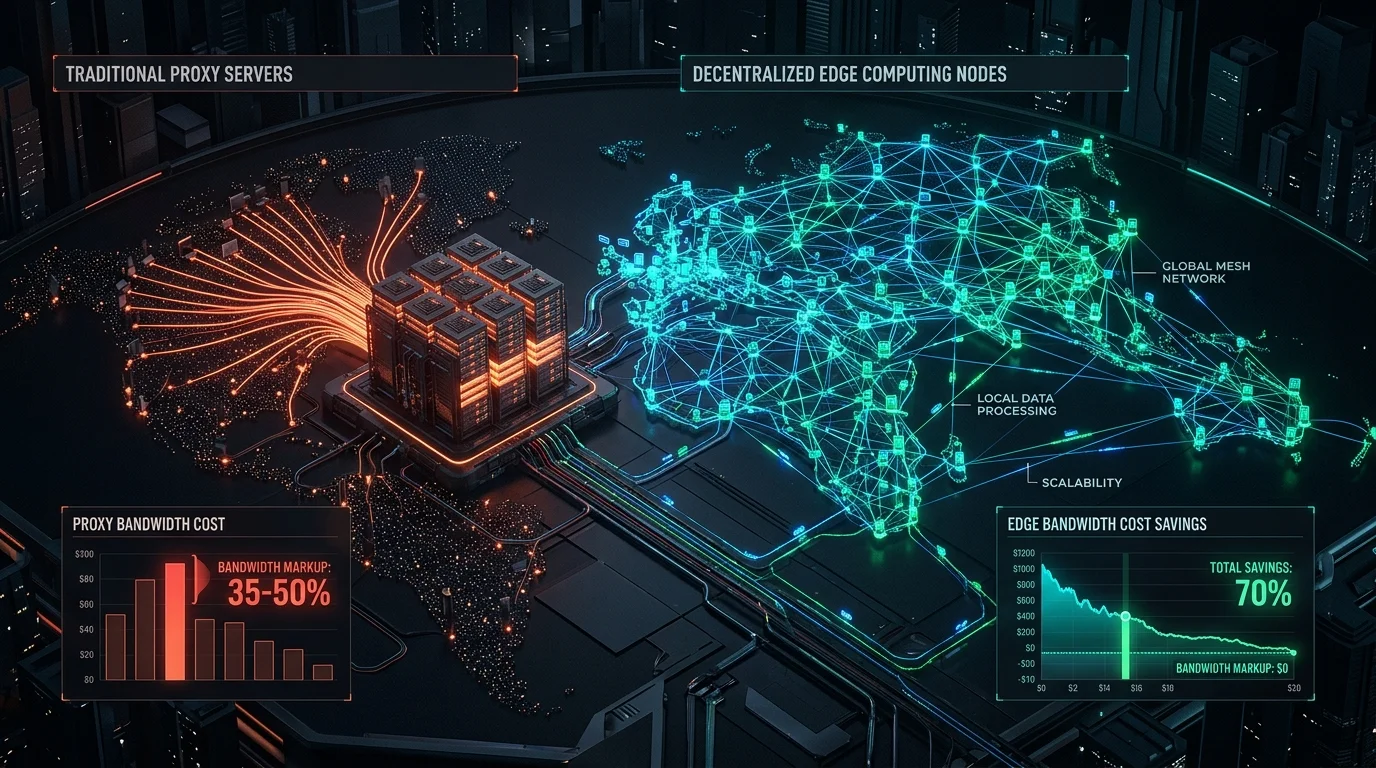
Decentralized Nodes vs Residential Proxies: The Complete Cost & Architecture Guide (2026)
2026-06-01 · 15 min read
How to Bypass Aggressive Anti-Bot Protection in 2026: Complete DataDome, Kasada, Akamai & Cloudflare Guide
2026-03-05 · 14 min read
How to Bypass Cloudflare Turnstile in 2026: Working Playwright & Stealth Guide
2026-01-15 · 12 min readPlatform Hub
Automate Without Limits
Join thousands of developers running browser automations on their own hardware.