Playwright Stealth Setup for Large-Scale Scraping: Architecture & Best Practices (2026)
Discover the best setup for large-scale browser automation with Playwright. Learn browser pooling, memory leak mitigation, and MCP integration.

TL;DR: Scaling headless Chromium automation beyond a few scripts introduces notorious infrastructure challenges: V8 memory leaks, zombie browser processes, crashed WebSocket pipes, and aggressive anti-bot rate limiting. To build the best infra setup for running a bunch of browser automation, teams need a coordinated architecture: a dynamic Browser Context Pool with automated worker recycling, bio-realistic stealth injections, resilient WebSocket heartbeat supervisors, and distributed edge hardware execution. In this comprehensive guide, we provide production-ready TypeScript code to orchestrate high-throughput, unbannable Playwright clusters.
What Are the Core Bottlenecks of Large-Scale Browser Automation?
When running hundreds or thousands of automated browser sessions concurrently, engineering teams encounter four major structural bottlenecks: severe V8 memory bloat, severed Chrome DevTools Protocol pipes, synthetic bot fingerprint detection, and CPU exhaustion on single-host virtual machines.
┌─────────────────────────────────────────────────────────────────────────────┐
│                 Production Headless Automation Failure Points               │
├─────────────────────────────────────────────────────────────────────────────┤
│ 1. Memory Bloat & Leaks      ──► Chromium processes consume 400MB-1GB each  │
│ 2. Broken WebSocket Pipes    ──► Stale CDP connections cause hanging jobs   │
│ 3. Synthetic Signature Flags ──► Default Playwright flags trigger WAF blocks│
│ 4. Single-Host Resource Caps ──► Multi-threaded CPU starvation on cloud VPS │
└─────────────────────────────────────────────────────────────────────────────┘
How to Architect High-Performance Browser Pooling and Memory Management?
The most effective architecture for large-scale browser automation avoids launching fresh Chromium instances for every single page request. Instead, maintain a long-lived parent browser process that spawns ephemeral browser contexts with isolated cookies, localStorage, and proxy bindings to recycle memory efficiently.
Why Choose Ephemeral Contexts Over Full Browser Restarts?
Ephemeral browser contexts initialize in under five milliseconds compared to hundreds of milliseconds required for full browser binaries. This approach eliminates memory bloat, prevents zombie Chromium background processes, and ensures that dynamic authentication cookies never leak across parallel worker threads.
                               Chromium Parent Process
                       (150MB Baseline - Long-Lived Engine)
                                         │
        ┌────────────────────────────────┼────────────────────────────────┐
        ▼                                ▼                                ▼
  [Context 1]                      [Context 2]                      [Context 3]
  • Task: Amazon Price             • Task: Google Maps Leads        • Task: Instagram Profile
  • Memory: ~25 MB                 • Memory: ~30 MB                 • Memory: ~25 MB
  • Lifecycle: 1 Job               • Lifecycle: 1 Job               • Lifecycle: 1 Job
        │                                │                                │
        ▼                                ▼                                ▼
[Close & Clean Memory]           [Close & Clean Memory]           [Close & Clean Memory]
Context Recycling Pool (pool-manager.ts)
// pool-manager.ts - High-Throughput Playwright Context Pool
import { chromium, Browser, BrowserContext } from "playwright";

export class BrowserPool {
  private browser: Browser | null = null;
  private activeContexts: number = 0;
  private maxConcurrency: number;
  private totalJobsProcessed: number = 0;
  private readonly maxJobsBeforeRestart: number = 500;

  constructor(maxConcurrency: number = 8) {
    this.maxConcurrency = maxConcurrency;
  }

  async init(): Promise<void> {
    if (!this.browser) {
      this.browser = await chromium.launch({
        headless: true,
        args: [
          "--disable-dev-shm-usage", // Overcomes limited resource problems in Linux containers
          "--no-sandbox",
          "--disable-gpu",
          "--disable-blink-features=AutomationControlled",
        ],
      });
      console.log("🚀 Initialized parent Chromium browser instance");
    }
  }

  async acquireContext(): Promise<BrowserContext> {
    await this.init();

    // Recycle entire browser process after 500 jobs to eliminate deep V8 memory fragmentation
    if (this.totalJobsProcessed >= this.maxJobsBeforeRestart && this.activeContexts === 0) {
      console.log("♻️ Recycling parent browser process to flush memory leaks...");
      await this.browser?.close();
      this.browser = null;
      this.totalJobsProcessed = 0;
      await this.init();
    }

    const context = await this.browser!.newContext({
      viewport: { width: 1920, height: 1080 },
      userAgent:
        "Mozilla/5.0 (Windows NT 10.0; Win64; x64) AppleWebKit/537.36 (KHTML, like Gecko) Chrome/131.0.0.0 Safari/537.36",
    });

    this.activeContexts++;
    this.totalJobsProcessed++;
    return context;
  }

  async releaseContext(context: BrowserContext): Promise<void> {
    try {
      await context.close();
    } finally {
      this.activeContexts = Math.max(0, this.activeContexts - 1);
    }
  }

  async shutdown(): Promise<void> {
    if (this.browser) {
      await this.browser.close();
      this.browser = null;
    }
  }
}
2. Handling WebSocket Disconnections & Crash Recovery
When running distributed browser fleets over Chrome DevTools Protocol (CDP) or WebSockets, network jitter or heavy DOM rendering can cause silent disconnections. If unhandled, the orchestrator hangs indefinitely waiting for a response from a dead socket.
// resilient-worker.ts - Heartbeat Supervisor & Crash Recovery
import { Page, BrowserContext } from "playwright";

export async function executeWithWatchdog<T>(
  context: BrowserContext,
  taskFn: (page: Page) => Promise<T>,
  timeoutMs: number = 30000
): Promise<T> {
  const page = await context.newPage();

  // Set execution deadline
  const timeoutPromise = new Promise<never>((_, reject) =>
    setTimeout(() => reject(new Error(`⏱️ Job timed out after ${timeoutMs}ms`)), timeoutMs)
  );

  // Heartbeat monitoring for crashed renderers
  page.on("crash", () => console.error("💥 Page crashed unexpectedly during execution"));

  try {
    return await Promise.race([taskFn(page), timeoutPromise]);
  } catch (error: any) {
    console.error(`❌ Execution error: ${error.message}`);
    throw error;
  } finally {
    if (!page.isClosed()) {
      await page.close().catch(() => {});
    }
  }
}
3. Production Playwright Stealth Injections in 2026
Modern Web Application Firewalls (WAFs) inspect JavaScript prototype integrity, hardware concurrency, and WebGL rendering.
Complete Evasion Suite (stealth-injector.ts)
// stealth-injector.ts - Full Prototype & Sensor Shield
import { Page } from "playwright";

export async function injectProductionStealth(page: Page) {
  await page.addInitScript(() => {
    // 1. Cleanly strip navigator.webdriver
    Object.defineProperty(navigator, "webdriver", {
      get: () => undefined,
    });

    // 2. Mock plugins array to match desktop Chrome
    Object.defineProperty(navigator, "plugins", {
      get: () => [
        { name: "PDF Viewer", filename: "internal-pdf-viewer", description: "Portable Document Format" },
        { name: "Chrome PDF Viewer", filename: "internal-pdf-viewer", description: "Portable Document Format" },
      ],
    });

    // 3. Inject consistent WebGL parameters
    const getParameter = WebGLRenderingContext.prototype.getParameter;
    WebGLRenderingContext.prototype.getParameter = function (parameter: number) {
      if (parameter === 37445) return "Google Inc. (NVIDIA)";
      if (parameter === 37446) return "ANGLE (NVIDIA, NVIDIA GeForce RTX 4070 Direct3D11 vs_5_0 ps_5_0, D3D11)";
      return getParameter.apply(this, [parameter]);
    };

    // 4. Align Hardware Specs
    Object.defineProperty(navigator, "hardwareConcurrency", { get: () => 8 });
    Object.defineProperty(navigator, "deviceMemory", { get: () => 8 });

    // 5. Ensure chrome runtime object exists
    (window as any).chrome = {
      runtime: {},
      loadTimes: () => {},
      csi: () => {},
    };
  });
}
4. Integration with BrowserMesh Node Fleet & Model Context Protocol (MCP)
Rather than manually provisioning, scaling, and maintaining fragile headless server infrastructure, BrowserMesh provides a production-grade distributed automation architecture out of the box.
                  Claude Desktop / Cursor / AI Agents
                                   │
                                   ▼ (JSON-RPC)
                     ┌───────────────────────────┐
                     │ BrowserMesh MCP Gateway   │
                     │  (Token-Optimized DOM)    │
                     └─────────────┬─────────────┘
                                   │ Dispatched to local engine
                                   ▼
                     ┌───────────────────────────┐
                     │ BrowserMesh Node Fleet    │
                     │  (Local PCs & Mobile IPs) │
                     └─────────────┬─────────────┘
                                   │
                                   ▼
                     ┌───────────────────────────┐
                     │ Web Studio Live Monitor   │
                     │ (studio.browsermesh.in)   │
                     └───────────────────────────┘
Deploying & Managing Headless Automation Nodes:
You can deploy lightweight node daemons across your servers and manage them with simple terminal commands:
# 1. Deploy the BrowserMesh headless daemon on Linux / macOS
curl -sSL https://www.browsermesh.in/scripts/install-headless.sh | bash

# 2. Check local engine status and system resource consumption
mesh status

# 3. Stream real-time Playwright execution logs and browser events
mesh logs
Connecting to Web Studio & MCP Workflows:
- Universal Web Studio (
https://studio.browsermesh.in): Open Studio in your browser. It automatically links to your local loopback daemon (http://127.0.0.1:3001), allowing you to configure parameters, trigger 250+ marketplace workflows, and monitor execution at 30+ FPS in real time. - AI Agent Integration via MCP: Connect Claude Desktop, Cursor, or custom LLM frameworks directly to your local node via the BrowserMesh MCP protocol to execute complex multi-step web research with zero token bloat.
Comparative Performance Benchmarks
Conclusion & Platform Resources
Building a large-scale browser automation infrastructure requires pairing intelligent browser pooling and memory management with authentic network identity. By deploying BrowserMesh local node fleets, you gain the scalability of an enterprise grid with zero infrastructure markup.
- Download Client Nodes: Official Download Center (
/download) - Architecture Docs: Distributed Grid & Pool Guide (
/docs/browser-pool) - Playwright SDK Guide: Building Custom Playwright Workflows (
/docs/playwright) - Explore Scrapers: Workflow Marketplace Catalog (
/marketplace) - Pricing & Quotas: Transparent Pricing Plans (
/pricing) - Mobile Node Architecture: Carrier-Grade NAT Mobile Guide (
/docs/cgnat-mobile) - Launch Web Studio: Open BrowserMesh Studio (Free Forever)
Table of Contents
7 sectionsRelated Articles
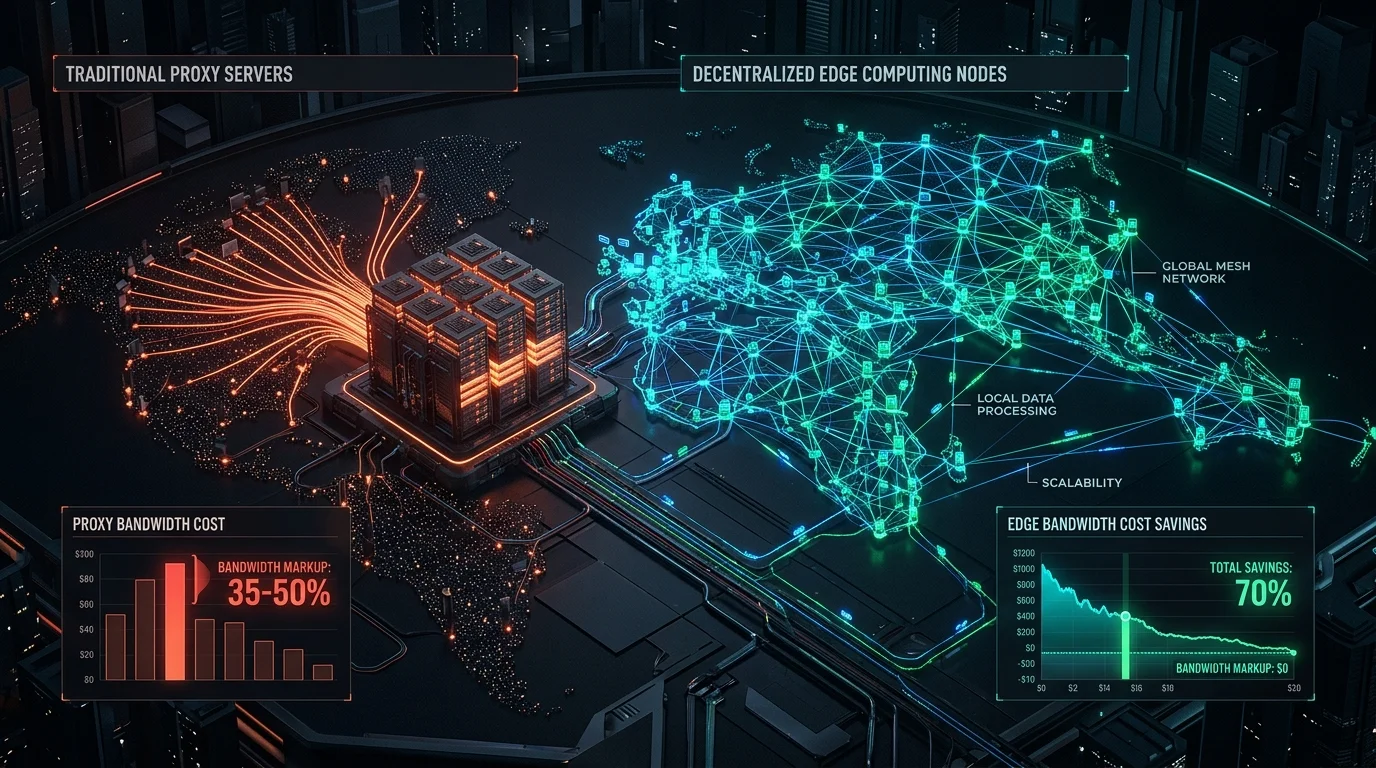
Decentralized Nodes vs Residential Proxies: The Complete Cost & Architecture Guide (2026)
2026-06-01 · 15 min read
DataDome & Kasada Anti-Bot Bypass in 2026: Complete Developer Guide
2026-05-15 · 15 min read
How to Bypass Aggressive Anti-Bot Protection in 2026: Complete DataDome, Kasada, Akamai & Cloudflare Guide
2026-03-05 · 14 min read
How to Bypass Cloudflare Turnstile in 2026: Working Playwright & Stealth Guide
2026-01-15 · 12 min readPlatform Hub
Automate Without Limits
Join thousands of developers running browser automations on their own hardware.