Building Resilient Web Automation Workflows for AI Agents with MCP in 2026
Learn how to connect Claude Desktop, Cursor, and autonomous AI agents directly to browser automation nodes using Model Context Protocol (MCP) and BrowserMesh.
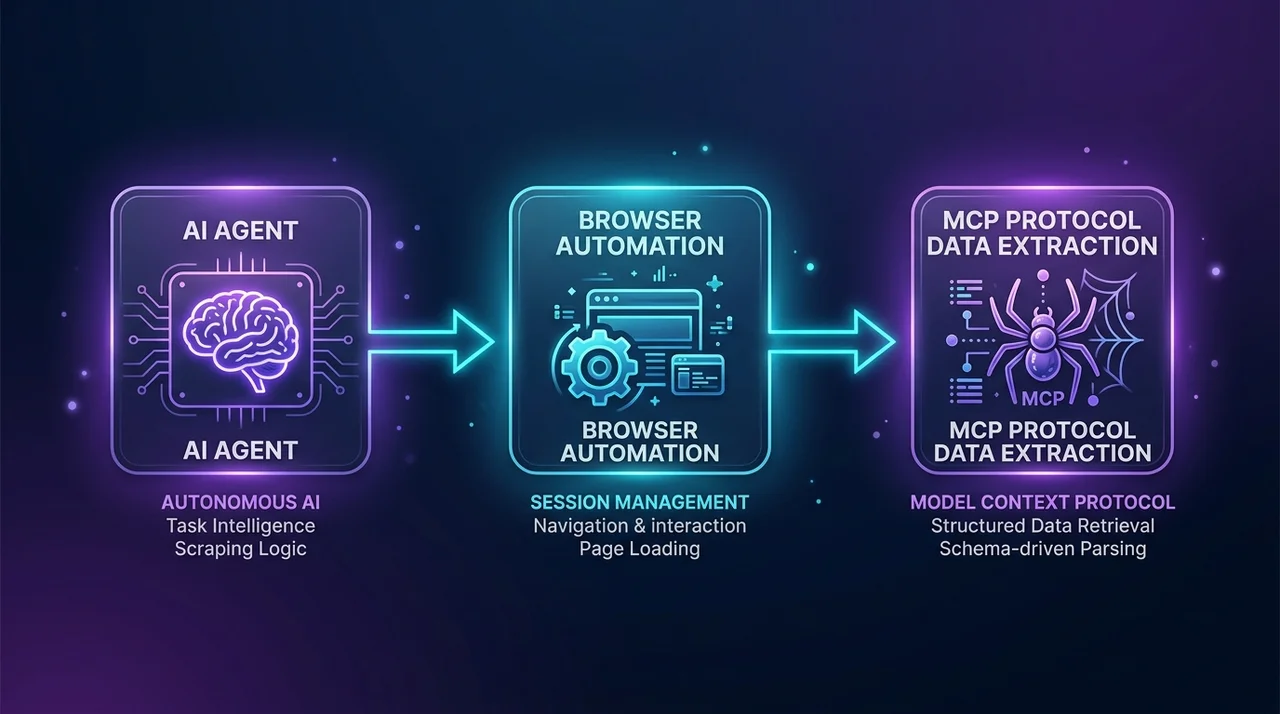
TL;DR: AI agents powered by Claude, GPT-4o, and DeepSeek require live, reliable web interaction to perform complex research and automated tasks. However, basic HTTP fetch tools fail on modern dynamic single-page applications. By connecting Model Context Protocol (MCP) to BrowserMesh's distributed local automation nodes, AI agents can autonomously navigate JavaScript-heavy applications, interact with complex UIs, and extract clean token-optimized Markdown in real time.
The AI Agent Web Automation Challenge
Large Language Models (LLMs) and autonomous agent frameworks (LangChain, CrewAI, AutoGen, Claude Desktop, Cursor) require dynamic web interaction to automate multi-step business workflows.
When an AI agent attempts to interact with modern web applications using standard raw fetch utilities, two common issues arise:
- JavaScript State Requirements: Modern single-page applications require full JavaScript hydration and DOM rendering before content is available.
- Context Window Token Bloat: Raw HTML contains megabytes of redundant CSS stylesheets, script bundles, and tracking tags, wasting valuable context window tokens.
What is Model Context Protocol (MCP)?
Model Context Protocol (MCP) is the open standard introduced by Anthropic that allows AI applications (like Claude Desktop, Cursor IDE, and custom agent servers) to securely call external tools and data sources via a standardized JSON-RPC interface.
┌────────────────────────────────────────────────────────────┐
│              BROWSERMESH MCP AGENT ARCHITECTURE            │
└────────────────────────────────────────────────────────────┘
   [ Claude Desktop / Cursor ]
                │
                ▼ (MCP Tool Call: `extract_markdown`)
   [ BrowserMesh MCP Server ]
                │
                ▼ (Dispatched to Local Node)
   [ Local Hardware Automation Node ] ──► [ Target Web Application ]
                │                                    │
                ▼                                    ▼
   [ Clean Markdown + Structured JSON ] ◄── [ 200 OK Rendered DOM ]
                │
                ▼
   [ LLM Context Window (Zero Token Waste) ]
Why BrowserMesh is Ideal for MCP Automation
- Token-Optimized Markdown Output: Automatically strips scripts, styles, and boilerplate DOM noise, converting complex web pages into dense, clean Markdown formatted specifically for LLMs.
- Autonomous Execution Core: Handles dynamic client-side hydration via AutomationEngine on authentic local hardware before returning structured responses to the AI agent.
- Full Multi-Step State Persistence: AI agents can maintain login sessions, fill dynamic search inputs, and paginate across complex workflows.
- Pre-Built Workflow Integrations: AI agents can trigger pre-configured recipes directly from the Workflow Marketplace to extract normalized datasets instantly.
Quickstart: Connecting BrowserMesh to Claude Desktop
Step 1: Install the BrowserMesh Node or MCP Server
Download and install the BrowserMesh client from the Official Download Center (available for Windows, Linux, and Android), or install the standalone MCP server package:
npm install -g @browsermesh/mcp-server
Step 2: Configure Claude Desktop (claude_desktop_config.json)
Open your Claude Desktop configuration file (%APPDATA%\Claude\claude_desktop_config.json on Windows or ~/Library/Application Support/Claude/ on macOS):
{
  "mcpServers": {
    "browsermesh": {
      "command": "npx",
      "args": [
        "-y",
        "@browsermesh/mcp-server",
        "--api-key=YOUR_BROWSERMESH_API_KEY"
      ]
    }
  }
}
(Generate your API key and review concurrency options in the Pricing & Quotas Hub.)
Platform Resources & Developer Links
- Download Local Node Apps: Official Download Center (
/download) - Explore 250+ Workflows: Browse Marketplace (
/marketplace) - Pricing & Quotas: Transparent Pricing Plans (
/pricing) - Engine Architecture: AutomationEngine Features (
/features) - Playwright SDK Guide: Playwright Integration (
/docs/playwright) - Launch Web Studio: Open BrowserMesh Studio (Free Forever)
Table of Contents
5 sectionsRelated Articles

Playwright Stealth Setup for Large-Scale Scraping: Architecture & Best Practices (2026)
2026-06-15 · 16 min read
Decentralized Nodes vs Residential Proxies: The Complete Cost & Architecture Guide (2026)
2026-06-01 · 15 min read
DataDome & Kasada Anti-Bot Bypass in 2026: Complete Developer Guide
2026-05-15 · 15 min read
How to Bypass Aggressive Anti-Bot Protection in 2026: Complete DataDome, Kasada, Akamai & Cloudflare Guide
2026-03-05 · 14 min readPlatform Hub
Automate Without Limits
Join thousands of developers running browser automations on their own hardware.